

Jun 24, 2026, 3:28:18 PM
Paste values from the status bar in Excel
The Status Bar Auto Calculations in Excel
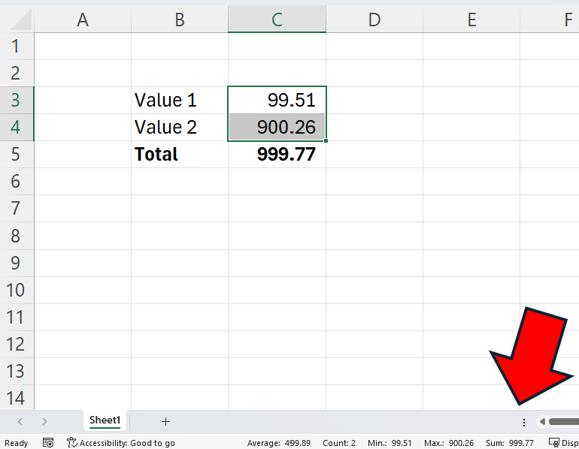
In Excel there is a handy little calculation area down on the right-hand side of the status bar.
This is what it looks like:

It auto calculates the average, count, min, max and sum for any range of values that you select.
A quick and easy way to paste values
Last year, Microsoft added a little bit of sparkle to this functionality by making it possible to copy any of the numbers to your clipboard simply by clicking on the number. Meaning that you can then easily paste the sum of any range as a value with a simple click and then Ctrl + V.
But, just one word of caution. It copies the values based on the rounding that has been applied. So if there are no decimal places visible, the number you copy will be rounded and will not have any decimals either.